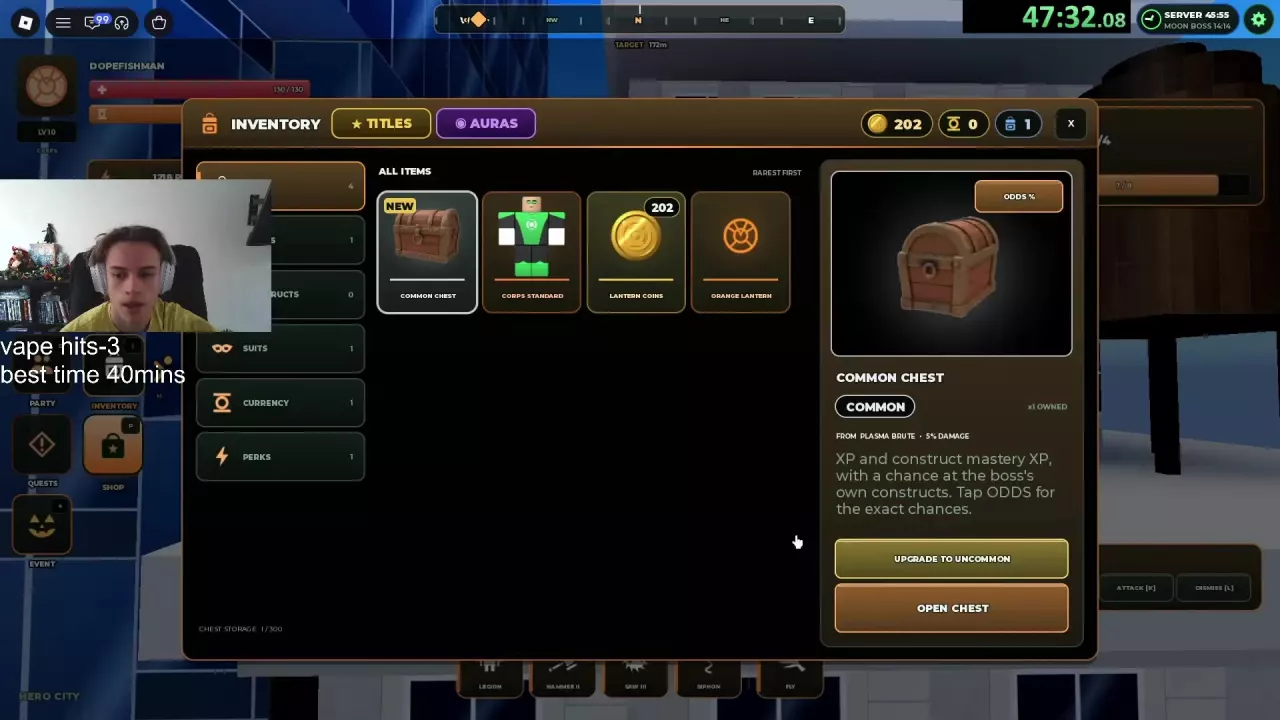
- Open INVENTORY → CHESTS and select your Plasma Brute chest.
- Use ODDS % to inspect its reward probabilities.
- Select the upgrade button for the next tier and confirm the 25-Robux purchase. Repeat only as far as you want to upgrade.
- Select OPEN CHEST when you are ready to claim the rewards at your chosen tier.
| Upgrade | Cost of this step | Total spent from Common |
|---|---|---|
| Common → Uncommon | 25 Robux | 25 Robux |
| Uncommon → Rare | 25 Robux | 50 Robux |
| Rare → Legendary | 25 Robux | 75 Robux |
Legendary has OPEN CHEST with no further upgrade button. Upgrading and opening are separate actions, so choose your tier before opening.
These costs and the reward comparisons below apply to the Plasma Brute upgrade chain. For other chest sources and inventory guidance, see the chest guide.